
Class Registration Software for Arts and Workshops
Registration, promotion, audience development and reporting — all in one platform built for creative education, with a flat 99¢ fee.

- Public Benefit Corporation
- Flat $0.99 Ticket Fee
- Nonprofit-Friendly Pricing
- Grant & Budget Cycle Friendly
- Audience Growth Focused
Included with membership
Class Promotion That Reaches Past Your Own List
List a course once and it runs to the last session — on the pages people browse to find classes, in front of learners who have never taken one with you.
Free workshops get the same promotion as paid courses.

You upload
Your course
Classes & Lectures genre page
Where people browse for classes near them.

Genre banners
Banner placement, targeted by city.

Featured classes
Priority slots, not a chronological list.

Homepage features
Front page in the markets you teach.
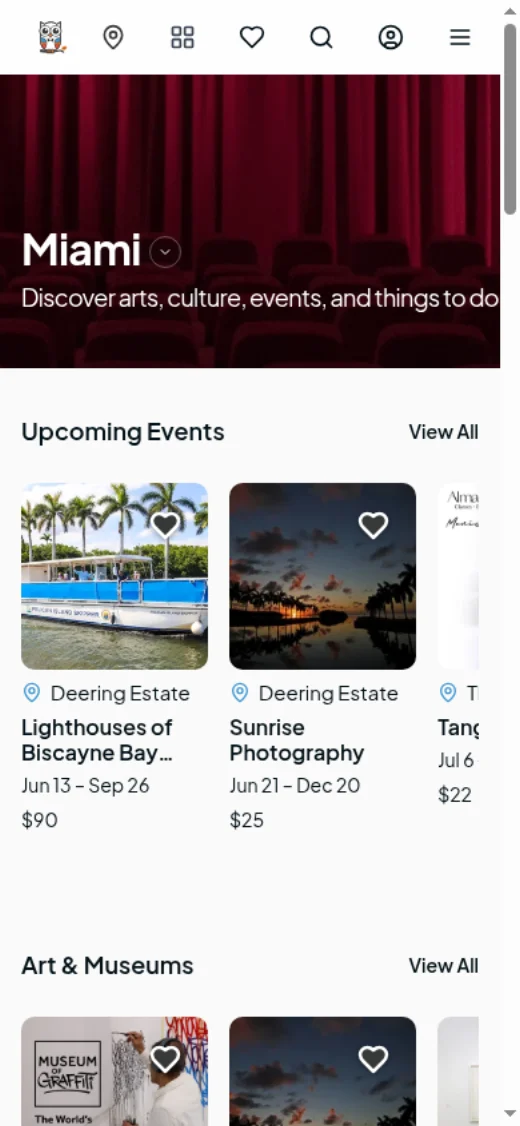
Cultural News & guides
Guides and interviews that keep ranking.

Term & season announcements
Your whole term, not one session.

Online Registration, Flat 99¢ a Place
Affordable for learners. Fair for teachers. Every commercial term in one place.
Flat 99¢ registration fee
99¢ per paid place plus standard card processing. Free workshops stay free.
Supports the arts
Lower fees keep more resources with the instructors and organizations doing the teaching.
Promo codes & discounts
Codes for early registration, members, families or students, tracked to every sale.
Your refund policy
You set the rules and approve each request yourself. Learners can ask up to 7 days before the first session.

Registration, Sessions and Capacity
A six-week course is not six events. Sell the place once and manage attendance across every session.
Multi-session courses
One registration covers the whole run, with each session tracked for attendance separately.
Capacity per session
Cap a studio at what it actually holds, and change it between terms without rebuilding the course.
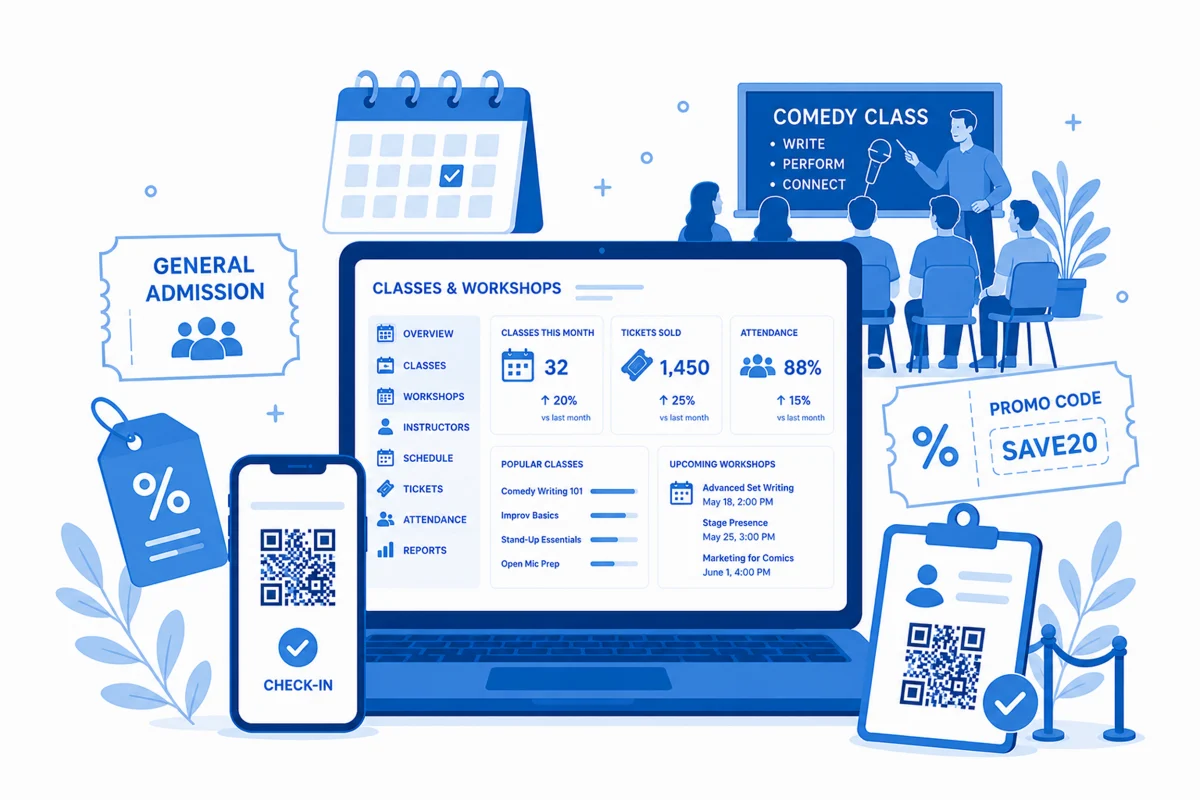
Front Desk Software for Check-In
Walk-ups, comps and check-in from one screen, on the same live capacity as online registration.
- Walk-up registration sold against the same live capacity as online.
- Scan from a phone or tablet, with live attendance counts. No hardware.
- Look up any registration by name or email, then reprint or resend it.
- Staff roles, so an instructor can check people in and see nothing else.
Studio B · Tue 6:30 PM
Live
Checked in
14 / 18
- Scanned · Session 3 of 6
- Will-call · found by name, resent
Same inventory as online
Built for How Teaching Programs Actually Work
Studio, classroom and everything between — event registration software for the whole term, not just the sign-up.
Email your learners
Message everyone registered for a course — a room change, a materials list, a weather call.
Early-bird & presale windows
Open registration to members, past students or partners before the public date.
Dynamic pricing
Let price move with demand across a term, instead of setting one number months out.
Guest checkout
Buyers check out without creating an account or remembering a password.
Rosters & comps
Add scholarship and comp places by hand, and see the full roster for every session.
Grant compatible
Participation, reach and attendance records in the shape funders and boards ask for.
Donations Collected at Checkout
Invite a gift inside the checkout people are already completing, reported with your registrations.
- A gift can be added to any course, or given on its own.
- Standalone gifts from people not registering.
- Donation totals in the same reports as registration income.
- Ceramics I, six sessions × 2
- $84.00
- Ticket fee 99¢ × 2
- $1.98
Add a gift to support the program?
- Gift
- $10.00
- Total
- $95.98
Reported with your ticket sales
From First Impression to Door Scan
Most ticketing reports begin at checkout and end at the sale. Yours covers the whole arc — what drove demand, what sold, and who actually turned up.
- See what drives demand — impressions, clicks, saves and engagement before the sale.
- Track sales as they happen — tickets, revenue, occupancy, promo codes and campaign performance.
- Measure real attendance — check-ins and door scans, not just tickets issued.
- Understand your audience — where they come from, how they grow and what brings them back.
- Export it for your board and funders, alongside fees, refunds and payout activity.
Support From People Who Know the Arts
Real-person help
Real people who know what a season, a run and a grant deadline are.
Guided onboarding
We walk your team through setup and your first course.
Ongoing assistance
Help through the term, not just the first week.
Resource library
Asset specs, the media kit and grant-cycle guidance, published rather than requested.
Class Registration FAQ
What does class registration cost on CultureOwl?
A flat 99¢ per paid place plus standard card processing. There's no percentage fee, and free workshops carry no registration fee.
Is the fee charged per session or per registration?
Per paid registration. A six-week course sold as one place is charged once, not once per session.
Can a teaching program start without paying?
Yes. Start Free includes three months of discovery and up to 20 event uploads, so you can list a term before you commit.
Can one registration cover a multi-week course?
Yes. Add every session to one course and sell the place once. Attendance is still tracked per session.
How do I cap a class at the size of the room?
Set a capacity on the course. It can be changed between terms without rebuilding the listing.
Can I run a drop-in session and a full course side by side?
Yes. A single workshop and a multi-session course can run in the same calendar with their own prices and capacity.
Can I add a scholarship or comp place by hand?
Yes. Add comp and scholarship places directly to the roster, and check those people in alongside paid registrations.
Who decides on refunds for a cancelled class?
Your team does. Refund requests arrive in your dashboard and you approve or decline each one. Learners can ask up to 7 days before the first session; that cutoff is set by CultureOwl.
Can learners add a donation when they register?
Yes. Add an optional gift at checkout, and people can also give without registering. Totals appear in your reports alongside registration income.
Where will my classes be promoted?
On the Classes & Lectures genre page, genre banners, featured class and homepage placements, term announcements, and Cultural News stories and guides.
Is class promotion included, or an add-on?
Placement across CultureOwl's discovery pages and editorial is included with membership. Extra paid campaigns are optional.
Who sees class listings on CultureOwl?
People browsing for culture and creative learning near them — not every kind of event.
Can I move a term across mid-year?
Yes. Many programs list the next term on CultureOwl while the current one finishes on their old system. Our team helps with setup.
Does CultureOwl replace a student information system?
No. CultureOwl covers registration, payment and discovery. A student records or learning management system stays where it is.
Fill More Places in Every Class and Workshop
Registration, promotion and donations in one place, for a flat 99¢ per place.